

TL;DR
Moving your rig into another room or a closet with proper ventilation can drastically cut noise and heat, often more effectively than acoustic foam. The key is distance and airflow, not just absorption. A well-ventilated closet setup can be both quiet and cool if done right.
Ever notice how a loud gaming or AI rig ruins your focus? Or how a noisy fan makes your room feel like a wind tunnel? The truth is, the best way to tame noise and heat isn’t adding foam or soundproofing—it’s moving the machine itself. Think of your rig as a roaring lion; the closer you are, the louder it sounds. But put it in another room, and suddenly it’s just a gentle purr. That’s what this article is about: how placement and smart design turn your noisy, hot setup into a quiet, cool workspace you forget is even there.
If you’re tired of noisy fans and overheating, stick with me. I’ll share proven strategies, real-world examples, and simple tweaks that make a huge difference. Whether you want a hidden rig in a closet or just better placement, you’ll learn how to cut noise, lower temperatures, and keep your system happy—without breaking the bank or building a soundproof bunker.
Acoustic dampening
& the rig in the closet.
The most powerful noise fix isn’t a material — it’s a floor plan. A rig you can’t hear because it’s in another room beats any amount of foam. Tap the approaches in Part 1 to see what actually works.
(another room)
(levers 1–4)
(door / barrier)
(acoustic foam)
Contain the noise, not the heat
Key Takeaways
- Distance is the most effective way to reduce noise—move your rig into another room or closet.
- Proper ventilation is essential in a closet setup—use exhaust fans and passive vents to prevent heat build-up.
- Acoustic foam helps inside a room but doesn’t block sound transmission—use barriers for that.
- Vibrations travel through surfaces—use rubber feet or decoupling to reduce low-frequency hums.
- Remote access over wired or wireless networks allows you to keep your workspace silent and cool.
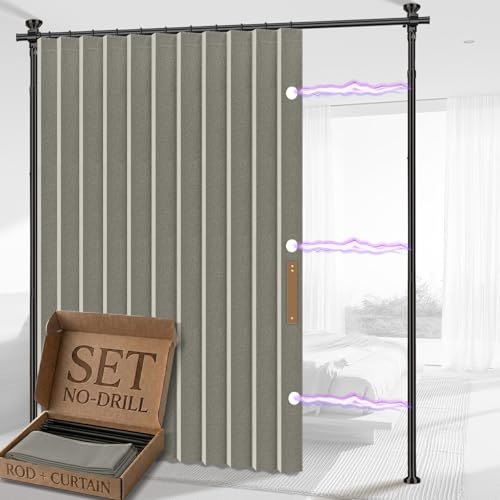
AJAZZ Privacy Curtains for Room Divider with Blackout & Soundproof (Grey, W100 x L96 in, 1 Panel)+ No Drill Curtain Rods(H) 43-120×(W) 35-100 in, Wall Divider for Bedroom/Studio/Office Curtain
- Privacy & Blackout: 100% blackout for privacy and darkness
- No-Drill Installation: Adjustable tension rods for damage-free setup
- Sound-Dampening Fabric: Triple-weave fabric reduces echo and noise
As an affiliate, we earn on qualifying purchases.
As an affiliate, we earn on qualifying purchases.
Why Distance Wins Over Foam When Quelling Noise
Distance is the biggest weapon in your noise-reduction arsenal. Imagine standing next to a jet engine versus hearing it from a mile away. Same principle applies to your rig. Moving your system into another room or closet can cut noise levels by up to 30 decibels—an order of magnitude—making a huge difference in comfort.
Why does this matter? Because human perception of loudness is logarithmic; a reduction of 20 decibels isn’t just quieter—it's significantly less intrusive. When you physically separate your rig, you not only reduce the volume but also eliminate the constant vibration and low-frequency hums that often make the noise feel worse. This is especially important for sensitive environments like recording studios or shared living spaces. The tradeoff, of course, is convenience; you need to manage longer cable runs and ensure proper ventilation. But the payoff—peace and quiet—is often worth it. It’s a straightforward, cost-effective method that can dramatically improve your quality of life and work environment.
The 'Rig in the Closet' Trick: How It Works and Why It Matters
Placing your noisy, heat-generating rig inside a closet is surprisingly effective because it leverages the principle of sound attenuation through barriers and distance. You can learn more about acoustic dampening and setup. The closet acts as a physical barrier, absorbing and blocking direct sound waves from reaching your ears. However, this method isn’t just about hiding the noise; it’s about managing heat as well. Without proper ventilation, your rig can overheat rapidly, leading to thermal throttling, reduced lifespan, and increased fan noise as the system struggles to cool itself. The key is to strike a balance—seal the enclosure enough to contain sound but incorporate vents or ducting to allow airflow. This way, you suppress noise while keeping temperatures in check. The tradeoff involves designing a system that doesn’t compromise cooling for soundproofing, which often means investing in quiet fans or ducted airflow solutions. When done correctly, a closet setup can make your rig virtually inaudible at your workspace, while still maintaining optimal temperatures for performance and longevity.
How to Ventilate a Closet Rig Without Noise or Overheating
- Install a quiet, high-quality exhaust fan. Look for models rated under 20 dB, as these are designed specifically to operate with minimal noise while providing effective airflow.
- Add passive vents or ducting to allow fresh air to enter and hot air to escape. Position these vents strategically to promote cross-ventilation and prevent hot spots inside the enclosure.
- Use thermostat-controlled fans to automatically adjust airflow based on temperature, preventing overheating during long operation periods. This helps maintain a stable environment without unnecessary noise from constant fan operation.
- Line the interior with acoustic foam or soundproof materials if residual noise escapes through vents, but avoid over-insulating which can trap heat. Proper placement and sealing of vents are crucial to prevent sound leaks while ensuring airflow.
For example, I used a 12V axial fan connected to a simple thermostat. It kicks on only when temperatures hit 70°C, keeping the rig cool without creating noise. You might also consider consulting guides on air quality and ventilation solutions. Pair that with ducted airflow, and you get a quiet, cool setup that’s safe for 24/7 operation. Remember, the goal is to design an airflow system that balances noise reduction with thermal management, preventing your rig from turning into a hotbox while remaining silent during operation.
Acoustic Dampening: When Foam Helps and When It Doesn’t
Acoustic foam absorbs sound reflections inside a space, reducing echo and improving sound clarity within the room. However, it doesn’t prevent sound from escaping through walls, doors, or vents. For more on effective soundproofing, see acoustic dampening and barriers. However, it doesn’t prevent sound from escaping through walls, doors, or vents. This distinction is crucial because internal sound absorption doesn’t equate to soundproofing. If your goal is to keep noise from leaking into other rooms or outside, you need to combine foam with solid barriers—like sealed doors, double walls, or soundproof panels—that block sound transmission. For example, a recording booth lined with foam will sound great internally, but if the door isn’t sealed or if there are gaps around vents, noise can still escape. Understanding this tradeoff helps you decide where to invest—whether in internal acoustic treatments or in constructing a fully soundproof enclosure. The key takeaway is that foam is excellent for internal acoustic optimization but not a substitute for physical sound barriers when silence outside the room matters.
Vibration Is the Hidden Enemy—How to Stop Structure-Borne Noise
Vibrations travel through the solid surfaces of your setup—desk, rack, or floor—and can carry low-frequency hums that resonate and amplify into noticeable noise. To reduce this, consider using anti-vibration pads and decoupling materials. This phenomenon, known as structure-borne noise, is often overlooked because it’s less obvious than airborne sound. The implications are significant: even a quiet fan or GPU can produce vibrations that transmit through the environment, creating a persistent low-frequency rumble that’s hard to isolate with traditional soundproofing. The fix involves mechanical decoupling—using rubber feet, anti-vibration pads, or grommets—to isolate your machine from the surface it sits on. These materials absorb and dampen vibrations before they travel into the environment, reducing the low-frequency hums that contribute to overall noise pollution. For instance, placing a GPU tower on rubber feet can cut the transmitted hum by over 50%, making your setup much quieter. Recognizing and addressing structure-borne noise is essential for achieving a truly silent workspace, especially if you’re sensitive to low-frequency sounds or run your system 24/7.
Frequently Asked Questions
Can I just put my rig in a closet without worrying about heat?
No. Without proper ventilation, heat will build up quickly, risking overheating and throttling. Always include active or passive airflow solutions, like exhaust fans and vents, to keep temperatures safe.Does acoustic foam really block sound from escaping?
No. Foam absorbs internal reflections but doesn’t block sound transmission through walls or doors. For that, you need solid barriers or sealed doors combined with foam for inside-room acoustic treatment.How much noise reduction can I expect from moving my rig into another room?
Typically, moving a rig into another room can reduce noise levels by 20-30 decibels—making it barely audible in your workspace. It’s the most effective and straightforward noise control method.Is it worth investing in soundproof cabinets?
Absolutely, especially for high-performance rigs that run continuously. Soundproof cabinets combine noise reduction with effective cooling, but they can be pricey—consider DIY solutions if on a budget.What’s the biggest mistake people make with closet rigs?
Sealing the closet completely without ventilation. It traps heat, leading to overheating and reduced performance. Always include airflow management in your design.Conclusion
The best noise and heat management for your high-power rig isn’t in fancy foam or fancy cases. It’s about where you put it—and how you ventilate it. Moving your machine out of your workspace, into a closet or another room, can slash noise by a staggering margin and prevent overheating.
Think of your setup as a car: a loud engine is fine in the garage, but you want it quiet and cool on the street. Your workspace deserves the same treatment. So, plan your placement, add proper airflow, and enjoy a quieter, more comfortable environment. Your ears—and your system—will thank you.