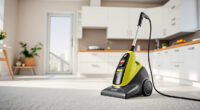
If your Dyson V15 Detect™ Origin cordless vacuum is losing battery life faster than expected, it can be frustrating. Understanding the common causes and following practical troubleshooting steps can help restore optimal performance and extend your vacuum’s runtime.

Get cleaning gear delivered free — and shop member deals
- Fast, free delivery on millions of items
- Access to Prime Big Deal Days deals on October 6–7
- Prime Video, Amazon Music and more included
This guide walks you through safe, step-by-step fixes to address battery drain issues, including maintenance tips and when to replace filters or accessories.
Key Takeaways
| Battery Age | Older batteries naturally lose capacity and need replacement. |
| Dirty Filters | Clogged filters reduce airflow, causing the battery to work harder. |
| Obstructed Vents | Blocked vents can impair cooling and battery efficiency. |
| Power Mode Usage | Extended use in high power modes drains the battery faster. |
| Accessory Compatibility | Incorrect or incompatible attachments can affect performance. |
Check Battery Condition and Age
- Inspect the battery for signs of age, bulging, or damage. If your vacuum’s runtime has significantly decreased over time, the battery may be nearing the end of its lifespan.
- Consider replacing the battery if it’s old or no longer holds a charge. Refer to Dyson’s recommended battery replacements or authorized service centers for safe installation.
Clean or Replace Filters
- Remove the pre-filters and main filters from your Dyson V15 Detect™ Origin. Use water to rinse the filters thoroughly and let them air dry completely (at least 24 hours).
- If filters are heavily clogged, replace them with genuine replacements like the 3Pack Pre Filters or V10 filters to restore airflow and reduce battery strain.
Clear Obstructions and Check Vents
- Examine the cleaner heads, hoses, and vents for dust buildup or blockages. Use a soft brush or cloth to remove debris carefully.
- Ensure vents are unobstructed to allow proper cooling, which helps maintain battery efficiency and prevents overheating.
Optimize Power Mode and Usage
- Use the LCD screen to monitor power modes; switch to lower power settings when deep cleaning isn’t necessary to conserve battery life.
- Avoid prolonged use in MAX mode unless essential, as it drains the battery faster.
Maintain Accessories and Attachments
Ensure all attachments, like the crevice tool or cleaner heads, are compatible and properly fitted. Using incompatible tools can impact airflow and battery performance.
The Products in This Guide

Dyson V15 Detect™ Origin Cordless Vacuum
- ✔ Weight: 6.8 lbs
- ✔ Charge Time: 3.5 hours
- ✔ Dimensions: 10.2 x 9.8 x 48.5 inches

LANMU Crevice Tool Vacuum Attachments Compatible
- ✔ Weight: 0.3 lbs
- ✔ Compatibility: Dyson V15, V12, V11, etc.
- ✔ Material: ABS plastic
Dyson V15 Detect™ Origin Cordless Vacuum
The Dyson V15 Detect™ Origin offers powerful suction, intelligent debris detection, and a 60-minute runtime, making it a top choice for deep cleaning. Proper maintenance and filter care are key to preventing battery issues.
Pros:
- Powerful suction
- Intelligent debris detection
- Long runtime
- Multiple cleaning heads
Cons:
- Battery may degrade over time
- Filters require regular cleaning
- Accessories can be costly
Best for: Deep cleaning large homes or pet owners
Not ideal for: Users seeking budget-friendly options or shorter tasks
Bottom line: Regular maintenance and timely filter replacements can significantly extend your Dyson vacuum’s battery life.
LANMU Crevice Tool Vacuum Attachments Compatible
The LANMU Crevice Tool Vacuum Attachments provide a flexible, narrow nozzle designed to reach into small corners and tight spaces, complementing your Dyson V15 for thorough cleaning.
Pros:
- Narrow, flexible nozzle
- Easy to attach
- Compatible with many Dyson models
- Improves cleaning precision
Cons:
- Limited to crevice cleaning
- May require additional attachments for larger areas
Best for: Cleaning corners, edges, and tight spaces
Not ideal for: Heavy-duty cleaning or large debris
Bottom line: A versatile tool to improve your Dyson’s reach and cleaning efficiency in tricky spots.
Frequently Asked Questions
How often should I replace the Dyson filters?
It’s recommended to replace filters every 2-3 months, depending on usage. Regular cleaning extends their effectiveness.
Can I use any third-party batteries?
It’s safest to use genuine or recommended replacement batteries from Dyson or authorized suppliers to ensure proper fit and performance.
Why does my vacuum’s battery drain quickly even after cleaning filters?
Possible causes include an aging battery, obstructions, or high power mode usage. Follow the troubleshooting steps to identify and fix the issue.
Is it safe to open the Dyson battery compartment myself?
It’s generally not recommended to open the battery compartment due to safety risks. Contact Dyson support or authorized repair services for battery replacement.
Keep Your Dyson Powerhouse Running Smoothly
By following these troubleshooting steps—checking and replacing filters, clearing obstructions, and properly maintaining your vacuum—you can significantly improve battery life and overall performance. Regular upkeep ensures your Dyson V15 Detect™ Origin remains a reliable cleaning partner for years to come.
Affiliate disclosure: As an Amazon Associate we earn from qualifying purchases. Prices and availability are accurate as of the time of publishing.
Fall Picks
fall essentials
As an affiliate, we earn on qualifying purchases.