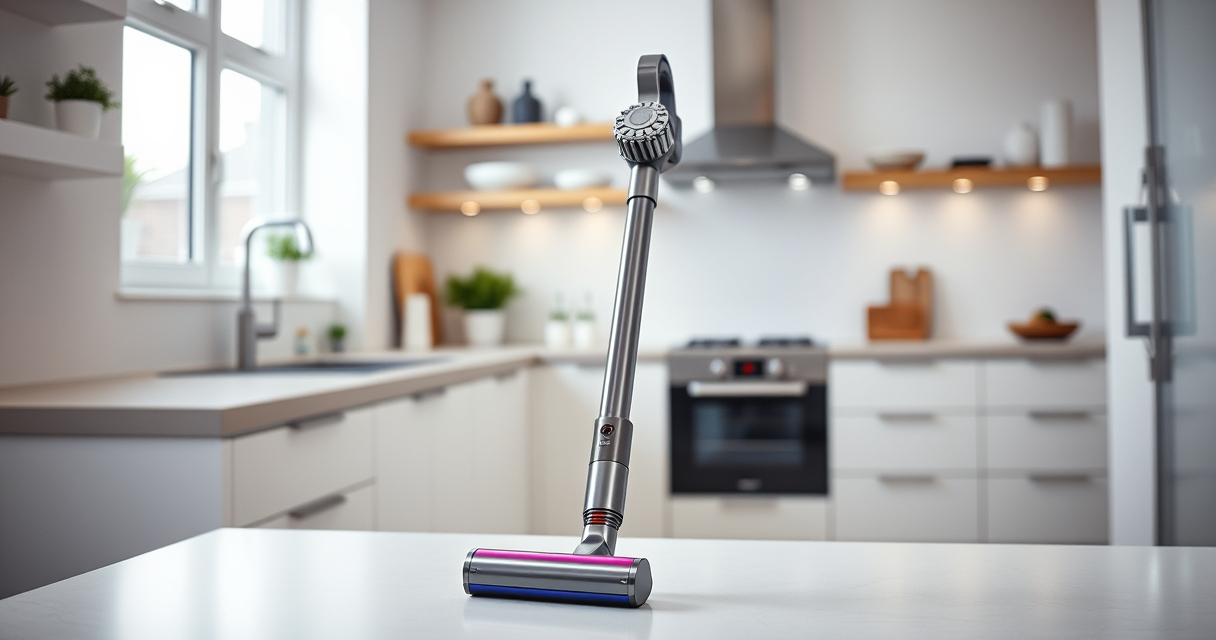
Maintaining your Dyson V15 Detect Total Clean Extra is essential for ensuring it performs at its best. Regular cleaning of filters, brushes, and attachments can extend the lifespan of your vacuum and keep your home spotless. This guide provides clear, step-by-step instructions to help you clean your Dyson safely and effectively.

Get cleaning gear delivered free — and shop member deals
- Fast, free delivery on millions of items
- Access to Prime Big Deal Days deals on October 6–7
- Prime Video, Amazon Music and more included
Follow these instructions to keep your vacuum in top condition without damaging any components.
Key Takeaways
| Regular maintenance | Keeps vacuum performing efficiently. |
| Clean filters | Ensures strong suction and air quality. |
| Check brushes and attachments | Removes hair and debris buildup. |
| Use proper tools | Prevents damage and simplifies cleaning. |
| Follow safety precautions | Avoid electrical hazards and damage. |
Prepare Your Vacuum and Workspace
- Turn off and unplug your Dyson V15 Detect to ensure safety during cleaning.
- Gather necessary tools: a soft brush or cloth, a small screwdriver (if needed), and replacement filters or attachments.
- Work in a well-lit, ventilated area to make cleaning easier and safer.
Clean the Main Components and Bin
- Remove the dustbin by pressing the release button and emptying it into a trash bag. Rinse with water if necessary; ensure it is completely dry before reattaching.
- Use a dry cloth or soft brush to wipe the cyclone and surrounding areas to remove dust buildup.
Replace or Clean the Filters
Remove the pre-filter and main filter according to the user manual. Rinse the filters under cold water until the water runs clear, then let them air dry completely (at least 24 hours) before reinstalling. Consider replacing filters if they are damaged or excessively worn.
Clean Attachments and Brushes
- Detach any attachments, such as the crevice tool or motorized brush.
- Use a small brush or cloth to remove dust and hair from attachments and brushes.
- Check for tangled hair or debris in brushes and remove carefully.
Final Checks and Reassembly
Ensure all components are dry and free of debris. Reassemble your Dyson V15 Detect, securely attaching all parts. Turn it on briefly to check for proper operation.
Store the vacuum in a clean, dry place until next use.
The Products in This Guide
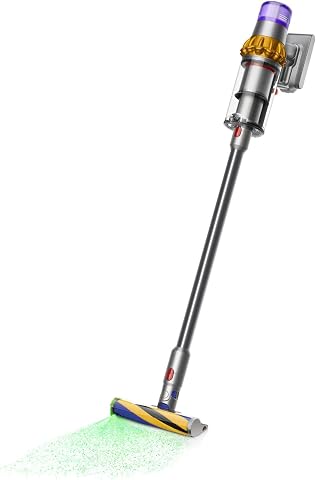
Dyson V15 Detect Total Clean Extra
- ✔ Weight: 6.8 lbs
- ✔ Charge Time: about 4 hours
- ✔ Filter Type: HEPA-compatible

LANMU Crevice Tool Vacuum Attachments Compatible
- ✔ Weight: 0.5 lbs
- ✔ Storage: Hangs easily
- ✔ Cleaning: Rinse with water
Dyson V15 Detect Total Clean Extra
The Dyson V15 Detect Total Clean Extra is a powerful, intelligent vacuum that reveals invisible dust and adapts to debris for thorough cleaning. Regular maintenance, including filter cleaning, ensures it stays at peak performance.
Pros:
- Powerful suction
- Smart dust detection
- Long battery life
- LCD screen with real-time info
Cons:
- Requires regular filter cleaning
- Can be heavy for some users
- Higher price for renewed model
Best for: Whole-home deep cleaning and allergy sufferers
Not ideal for: Light cleaning or small apartments
Bottom line: A high-performance vacuum requiring regular maintenance to maximize lifespan.
LANMU Crevice Tool Vacuum Attachments Compatible
This crevice tool attachment complements your Dyson V15 Detect by reaching into tight corners and narrow spaces, making cleaning more thorough and easier.
Pros:
- Narrow nozzle fits tight spots
- Flexible and durable
- Easy to attach and remove
- Versatile for home and car
Cons:
- Not compatible with V6 models
- Requires additional storage space
- May need cleaning after heavy use
Best for: Detail cleaning in corners, sofas, and cars
Not ideal for: Large debris removal
Bottom line: A practical tool for detailed and hard-to-reach cleaning tasks.
Frequently Asked Questions
How often should I clean the filters on my Dyson V15 Detect?
It is recommended to wash the filters every 1-3 months, depending on usage, and allow them to fully dry before reinstalling.
Can I rinse all parts with water?
Only rinse the filters and dustbin components. Avoid soaking electrical parts or the motorized brush. Ensure all parts are dry before reassembly.
What should I do if my vacuum loses suction after cleaning?
Check and clean or replace the filters, empty the dustbin, and inspect the brushes for tangles. Proper maintenance usually restores suction.
Is it safe to clean the motorized brush with water?
No, do not get the motorized brush wet. Clean it with a brush or cloth to remove hair and debris, but avoid water contact.
Keep Your Dyson V15 Detect in Top Shape
Regular cleaning and maintenance of your Dyson V15 Detect Total Clean Extra ensure it remains powerful and efficient. Follow these simple steps to keep your vacuum performing at its best and enjoy a cleaner home with less hassle.
By staying on top of filter cleaning, attachment maintenance, and dustbin emptying, you can extend the life of your vacuum and maintain optimal suction and filtration performance.
Affiliate disclosure: As an Amazon Associate we earn from qualifying purchases. Prices and availability are accurate as of the time of publishing.
Halloween Picks
halloween
As an affiliate, we earn on qualifying purchases.