If your Roborock Q7 M5+ robot vacuum keeps getting stuck during cleaning, it can be frustrating and hinder your home’s cleanliness. Fortunately, most issues are fixable with some simple troubleshooting steps. This guide provides practical, step-by-step instructions to help you identify and resolve common causes of your vacuum getting stuck, ensuring smoother operation and longer-lasting performance.

Get cleaning gear delivered free — and shop member deals
- Fast, free delivery on millions of items
- Access to Prime Big Deal Days deals on October 6–7
- Prime Video, Amazon Music and more included
Before diving into repairs, make sure your vacuum is up-to-date with the latest firmware and that your home environment is suitable for robotic cleaning. Let’s get your Roborock running seamlessly again.
Key Takeaways
| Check Obstructions | Ensure no objects block the vacuum’s path. |
| Inspect Wheels & Brushes | Remove tangled hair or debris from wheels and brushes. |
| Update Firmware | Keep your robot’s software current for optimal navigation. |
| Map & Environment | Clear clutter and review the cleaning map for problem areas. |
| Reset & Recalibrate | Perform a reset if the issue persists after troubleshooting. |
Step 1: Clear Path and Remove Obstacles
- Turn off the vacuum and inspect the area for objects, cords, or small items that could obstruct its movement.
- Remove any visible obstacles from the floor, especially near charging stations or narrow passages.
- Check for loose cables or rugs that might be causing the vacuum to get stuck.
Step 2: Examine Wheels and Brushes
- Flip the vacuum onto its side to access the wheels and main brush.
- Remove hair, string, or debris tangled around the wheels and brush components.
- Clean thoroughly with a soft cloth or brush, ensuring free movement of wheels.
Step 3: Update Firmware and Reset Navigation
- Open the Roborock app and check for any firmware updates. Install if available.
- Perform a reset of the navigation system via the app or the device’s settings menu.
- Re-map your space if necessary, ensuring the map is accurate.
Step 4: Review Environment and Settings
Ensure your home environment is suitable for robotic cleaning. Avoid cluttered areas and high-pile carpets that may confuse the navigation system. Adjust virtual boundaries if your vacuum frequently gets stuck in certain zones.
Additional Tips and Safety Warnings
- Regularly check for and remove tangled hair or debris that can impair movement.
- Do not attempt to repair internal components or wiring unless qualified.
- Keep the vacuum’s sensors and wheels clean to maintain optimal navigation.
- Be cautious when moving furniture or rugs to prevent accidental damage or entanglement.
The Products in This Guide

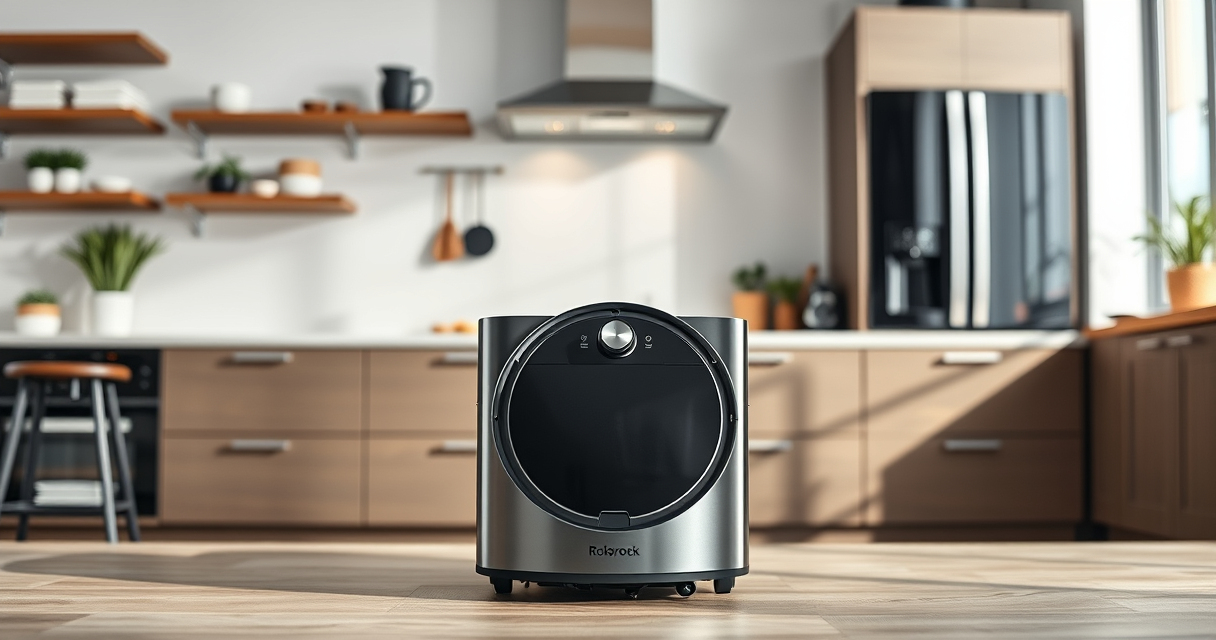
roborock Q7 M5+ Robot Vacuum and Mop
- ✔ Weight: 7.7 kg
- ✔ Dimensions: 355mm x 355mm x 96mm
- ✔ Charging Time: Approx. 6 hours

4 Pack Washable Filter
- ✔ Weight: Approx. 50g per filter
- ✔ Dimensions: Approx. 50mm x 50mm x 10mm
- ✔ Material: HEPA and foam
roborock Q7 M5+ Robot Vacuum and Mop
The Roborock Q7 M5+ Robot Vacuum and Mop offers powerful suction and advanced navigation, making it a reliable option for pet owners and busy households. Its Self-Empty feature reduces maintenance time, and the Dual Anti-Tangle System helps prevent hair jams.
Pros:
- Powerful 10000Pa suction
- Up to 7-9 weeks self-emptying
- PreciSense LiDAR navigation
- Dual anti-tangle system
Cons:
- Higher price point
- Requires app setup
- May need regular filter cleaning
Best for: Large homes with pets and high-traffic areas
Not ideal for: Small spaces with clutter or low-clearance furniture
Bottom line: A high-performance robot vacuum with long-lasting self-emptying features.
4 Pack Washable Filter
The 4 Pack Washable Filter replacement ensures your Roborock maintains high suction and filtration efficiency. Easy to install and washable for long-term use, it’s an essential for pet owners and allergy sufferers.
Pros:
- Maintains optimal filtration
- Washable and reusable
- Compatible with multiple models
- Easy to install
Cons:
- Requires regular cleaning
- Not OEM but fits well
- Limited to specific models
Best for: Pet owners and allergy-sensitive homes
Not ideal for: If you prefer OEM parts or have other brand vacuums
Bottom line: Effective, budget-friendly filters to keep your vacuum performing at its best.
Frequently Asked Questions
Why does my Roborock keep getting stuck?
Common causes include obstacles in its path, tangled brushes, outdated firmware, or environmental clutter. Follow the troubleshooting steps to resolve these issues.
How often should I clean the wheels and brushes?
Inspect and clean the wheels and brushes at least once every 1-2 weeks, or more frequently if you have pets or high debris levels.
Can I recalibrate the navigation system myself?
Yes, through the Roborock app, you can reset and recalibrate the navigation to improve accuracy and prevent getting stuck.
What should I do if my vacuum still gets stuck after troubleshooting?
Contact Roborock customer support for further assistance or consider replacing worn parts like filters or brushes.
Keeping Your Roborock Smoothly Moving
Regular maintenance, environment management, and software updates are key to preventing your Roborock Q7 M5+ from getting stuck. By following this guide, you can troubleshoot common issues and ensure your robot continues to keep your home clean efficiently. Remember, a little proactive care goes a long way in extending the lifespan and performance of your vacuum.
Affiliate disclosure: As an Amazon Associate we earn from qualifying purchases. Prices and availability are accurate as of the time of publishing.
Fall Picks
fall essentials
As an affiliate, we earn on qualifying purchases.