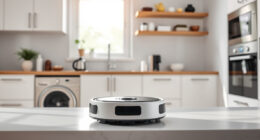
If your Roborock Q7 M5+ Robot Vacuum and Mop isn’t connecting to WiFi, it can disrupt your cleaning schedule and app control. Understanding common causes and following precise troubleshooting steps can help restore connectivity quickly and safely.
This guide provides practical, step-by-step solutions to resolve WiFi connection issues for your Roborock, ensuring your device stays connected and functions optimally.
Key Takeaways
| Check WiFi Compatibility | Ensure your WiFi network meets Roborock’s requirements. |
| Restart Devices | Reboot your Roborock and router to resolve temporary glitches. |
| Update Firmware | Keep your Roborock app and firmware up to date. |
| Reset Network Settings | Reconfigure WiFi settings on your Roborock. |

roborock Q7 M5+ Robot Vacuum and Mop, Upgraded from Q5 Max+, Up to 7-9 Weeks Self-Empty, 10000Pa Suction, Dual Anti-Tangle System for Pet Hair & Carpet, PreciSense LiDAR Navigation, App Control, Black
𝗨𝗽 𝘁𝗼 𝟳-𝟵 𝗪𝗲𝗲𝗸𝘀 𝗛𝗮𝗻𝗱𝘀 𝗙𝗿𝗲𝗲 𝗖𝗹𝗲𝗮𝗻𝗶𝗻𝗴: With a 2.7L sealed dust bag, the RockDock Plus efficiently collects...
As an affiliate, we earn on qualifying purchases.
Ensure WiFi Compatibility and Signal Strength
- Verify your WiFi network operates on 2.4GHz, as Roborock devices typically do not support 5GHz networks.
- Place your router closer to the Roborock for a stronger signal, avoiding interference from thick walls or electronic devices.

4 Pack Washable Filter For Roborock Q5 Pro/Pro+(Plus)/ Max+(Plus)/ DuoRoller+, Q7/ Q7+, Q7 Max/Max+, Q8 Max/Max+ Robot Vacuum Cleaner Accessories Replacement Part True HEPA Filter For Robotic
Compatible Models: The True HEPA washable filter replacement parts are compatible with Roborock Q7, Q7+(Plus), Q7 Max, Q7...
As an affiliate, we earn on qualifying purchases.
Restart Your Roborock and Router
- Power off your Roborock by pressing and holding the power button, then turn it back on after 10 seconds.
- Unplug your WiFi router, wait 30 seconds, then plug it back in and allow it to fully restart.
Reconfigure WiFi Settings in the App
- Open the Roborock app and navigate to the device settings.
- Select ‘WiFi Settings’ and choose ‘Forget Network’ if already connected.
- Reconnect by selecting your WiFi network and entering the password carefully.
Update Firmware and App
- Check for firmware updates within the Roborock app and install any available updates.
- Ensure your smartphone app is updated to the latest version from your app store.
Reset Network Settings on Roborock
- Press and hold the reset button (if available) on your Roborock for 3-5 seconds.
- Follow the app prompts to set up WiFi connection again from scratch.
The Products in This Guide

roborock Q7 M5+ Robot Vacuum and Mop
- ✔ Battery Life: Up to 7-9 weeks
- ✔ Dust Capacity: 2.7L sealed bag
- ✔ Suction Power: 10000Pa

4 Pack Washable Filter
- ✔ Size: Standard fit
- ✔ Material: HEPA
- ✔ Washable: Yes
roborock Q7 M5+ Robot Vacuum and Mop
The Roborock Q7 M5+ Robot Vacuum and Mop offers advanced navigation and strong app control, but WiFi issues can occur. Following these troubleshooting steps can help restore connection efficiently.
Pros:
- Supports 2.4GHz WiFi
- Easy to reset network settings
- App control for remote management
- Firmware updates available
Cons:
- Requires stable WiFi signal
- Potential interference from other devices
- Firmware updates may require app reconfiguration
Best for: Owners experiencing WiFi disconnection issues
Not ideal for: Users with incompatible WiFi networks or poor signal areas
Bottom line: A steady WiFi connection is vital for optimal Roborock performance.
4 Pack Washable Filter
Replacing or upgrading your filters can improve vacuum performance and reduce WiFi-related issues caused by sensor or airflow disruptions. The 4 Pack Washable Filter is compatible with various Roborock models, including the Q7 and Q5 Max+.
Pros:
- Effective filtration
- Reusable and washable
- Easy to install
- Maintains vacuum suction
Cons:
- Needs regular cleaning
- Initial cost
- Not OEM
Best for: Maintaining optimal vacuum performance
Not ideal for: Users seeking disposable filters only
Bottom line: A high-quality washable filter helps maintain strong WiFi and cleaning performance.
Frequently Asked Questions
Why won’t my Roborock connect to WiFi?
Possible reasons include incompatible network settings, weak signal, firmware issues, or interference. Follow troubleshooting steps to resolve.
How do I reset my Roborock’s WiFi connection?
Navigate to app settings, select ‘WiFi Settings’, choose ‘Forget Network’, then reconnect by entering your WiFi password.
Can I connect Roborock to a 5GHz WiFi network?
Most Roborock models, including the Q7 M5+, support only 2.4GHz networks for reliable connectivity.
How often should I update the firmware?
Check for firmware updates regularly via the app to ensure stability and fix bugs affecting WiFi connectivity.
Stay Connected for Seamless Cleaning
Roborock robot vacuums rely on a stable WiFi connection for optimal operation. By following these troubleshooting steps, you can resolve most connectivity issues and enjoy hassle-free cleaning. Regular maintenance and updates will keep your device running smoothly and connected at all times.
Affiliate disclosure: As an Amazon Associate we earn from qualifying purchases. Prices and availability are accurate as of the time of publishing.