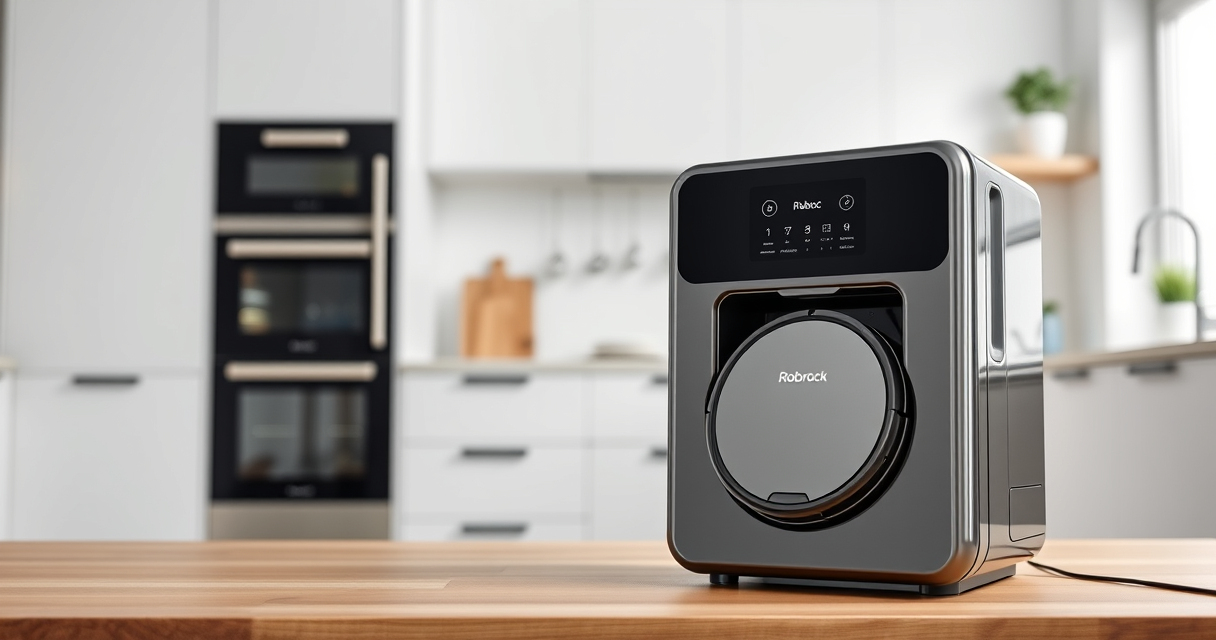
If your Roborock Q7 M5+ Robot Vacuum and Mop is having trouble connecting to WiFi, it can disrupt your cleaning schedule and app control. Fortunately, most WiFi issues are fixable with simple troubleshooting steps. This guide provides clear, practical instructions to help you restore your connection safely and effectively.
Listen free for 30 days with Audible
Thousands of audiobooks and originals — cancel anytime.
Start your free trialAs an affiliate, we earn on qualifying purchases.
Before starting, ensure your WiFi network is functioning correctly, and your device is within range. Follow these steps carefully to diagnose and resolve common WiFi connectivity problems.
Key Takeaways
| Check WiFi Compatibility | Ensure your WiFi network operates on 2.4GHz, as Roborock devices typically don’t support 5GHz. |
| Restart Devices | Reboot your robot vacuum and your WiFi router to resolve temporary connectivity glitches. |
| Update Firmware & App | Make sure both the Roborock app and vacuum firmware are up to date. |
| Reset WiFi Settings | Reconfigure the WiFi connection in the vacuum’s settings if trouble persists. |
| Check Interference & Range | Minimize interference from other devices and ensure the robot is within WiFi range. |

roborock Q7 M5+ Robot Vacuum and Mop, Up to 7-9 Weeks Self-Empty, 10000Pa
- Long-lasting Self-Emptying: Up to 7-9 weeks with 2.7L dust bag
- Powerful Suction: 10000Pa for deep cleaning on all surfaces
- Anti-Tangle Brush System: Dual design resists pet hair wrap
As an affiliate, we earn on qualifying purchases.
Step 1: Verify Your WiFi Network
- Ensure your WiFi is operating on 2.4GHz, as Roborock models typically do not support 5GHz networks.
- Check if other devices can connect to the WiFi to rule out broader network issues.
Step 2: Restart Your Devices
- Turn off your Roborock vacuum and unplug your WiFi router.
- Wait 30 seconds, then turn the router back on and wait until it stabilizes.
- Reboot your vacuum by pressing and holding the power button for several seconds, then try reconnecting.
Step 3: Update App and Firmware
- Open the Roborock app and check for updates; install any available updates for the app.
- Navigate to your vacuum’s settings in the app and verify the firmware version; update if needed.
Step 4: Reconfigure WiFi Connection
- In the Roborock app, go to device settings and select ‘WiFi Settings.’
- Choose ‘Forget Network,’ then select your WiFi network again.
- Enter your WiFi password carefully and complete the connection process.
Tips & Warnings
- Ensure your mobile device is connected to the same WiFi network you’re trying to connect your vacuum to.
- Avoid using the 5GHz band during setup, as compatibility issues can occur.
- If problems persist, reset your router to factory settings and reconfigure.
- Keep your device within a reasonable distance from the WiFi router during setup.
- Never attempt to disassemble or modify the vacuum’s hardware to fix WiFi issues.
The Products in This Guide

roborock Q7 M5+ Robot Vacuum and Mop
- ✔ Battery Life: Up to 7-9 weeks
- ✔ Dust Capacity: 2.7L
- ✔ WiFi Compatibility: 2.4GHz only

4 Pack Washable Filter
- ✔ Pack: 4 filters
- ✔ Compatibility: Multiple Roborock models
- ✔ Washable: Yes
roborock Q7 M5+ Robot Vacuum and Mop
The Roborock Q7 M5+ Robot Vacuum and Mop offers powerful suction, LiDAR navigation, and seamless app control, making it a top choice for smart home cleaning. Its WiFi connectivity is generally stable, but following these troubleshooting steps can help resolve common issues.
Pros:
- Powerful 10000Pa suction
- Up to 9 weeks self-emptying
- Advanced LiDAR navigation
- App control for convenience
Cons:
- Requires stable WiFi network
- Setup can be tricky for non-tech users
- No 5GHz support
Best for: Homeowners seeking a reliable, high-performance robot vacuum with smart features
Not ideal for: Users with incompatible WiFi routers or seeking ultra-simple setup
Bottom line: A powerful and feature-rich robot vacuum that benefits from stable WiFi connectivity.
4 Pack Washable Filter
The 4 Pack Washable Filter enhances your Roborock’s filtration system, ensuring optimal performance and easier maintenance. It’s compatible with several models, including the Q7 and Max+ series.
Pros:
- Effective HEPA filtration
- Reusable and washable
- Easy to install
- Cost-effective in the long run
Cons:
- Requires regular washing
- Not OEM, but high quality
- Limited to specific models
Best for: Maintaining clean air and extending vacuum lifespan
Not ideal for: Users seeking OEM parts or specific model filters outside compatibility
Bottom line: A cost-effective upgrade to keep your vacuum’s filtration at peak performance.
Frequently Asked Questions
Why is my Roborock not connecting to WiFi?
Common reasons include incompatible network bands, signal interference, outdated app or firmware, or incorrect WiFi password. Follow the troubleshooting steps to resolve these issues.
Can I connect my Roborock to a 5GHz WiFi network?
Most Roborock models, including the Q7 M5+, support 2.4GHz WiFi networks only. Try switching your router to 2.4GHz during setup.
How do I reset the WiFi settings on my Roborock?
Navigate to the device settings in the app, select WiFi Settings, then choose ‘Forget Network’ and reconnect by entering your WiFi password again.
My WiFi connection keeps dropping. What should I do?
Ensure your router is stable, minimize interference, keep the vacuum within range, and update your device firmware and app regularly.
Stay Connected and Keep Cleaning
WiFi connectivity issues with your Roborock Q7 M5+ are common but usually easy to fix with these simple steps. Regular maintenance, firmware updates, and proper network setup can ensure your robot vacuum stays connected and ready to clean. If problems persist, consider resetting your router or contacting support for further assistance.
Affiliate disclosure: As an Amazon Associate we earn from qualifying purchases. Prices and availability are accurate as of the time of publishing.
Back to school Picks
back to school
As an affiliate, we earn on qualifying purchases.