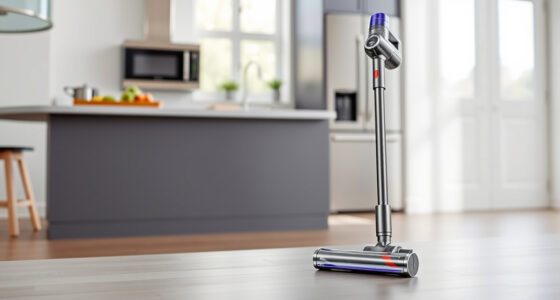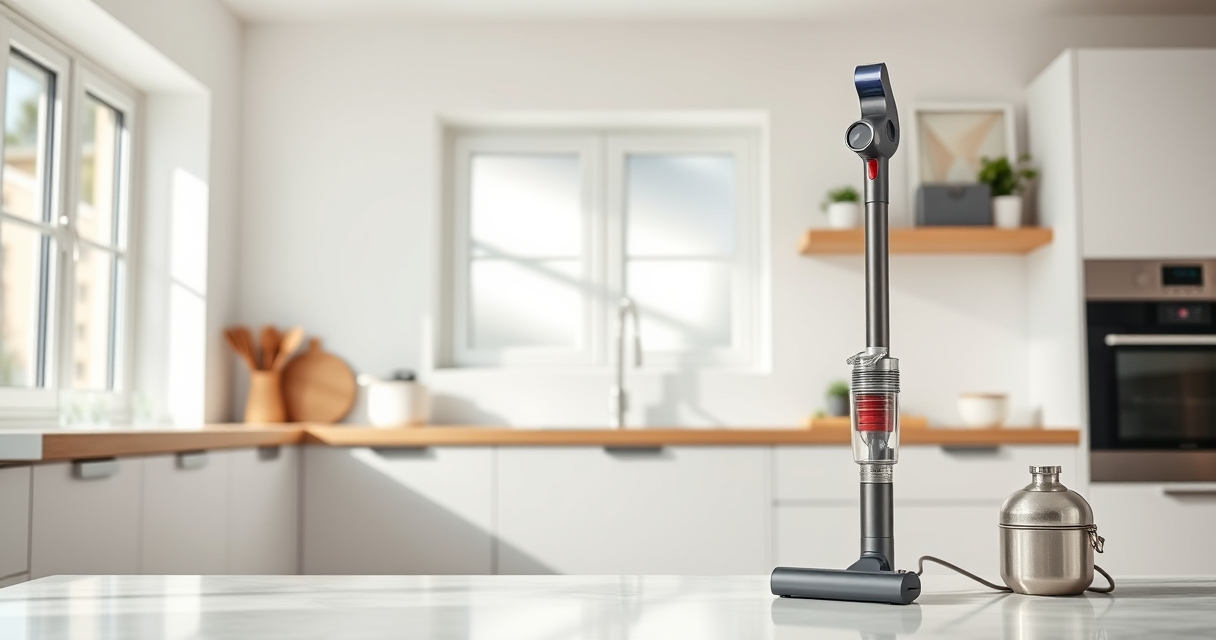
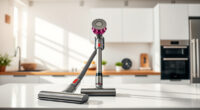
Maintaining your Dyson V15 Detect™ Origin cordless vacuum is essential to ensure it performs at its best for years to come. Regular upkeep not only prolongs the lifespan of your device but also guarantees optimal cleaning power. In this comprehensive guide, we will walk you through essential maintenance routines, troubleshooting common issues, and tips to keep your vacuum in peak condition.

Get cleaning gear delivered free with Prime
- Fast, free delivery on millions of items
- Prime Video, Amazon Music and more included
- Member-only deals all year
Whether you’re a new user or a seasoned pro, following these practical steps will help you avoid costly repairs and maintain the impressive performance Dyson is known for.
Key Takeaways
| Regular Filter Cleaning | Rinse filters every 2-3 months to maintain suction. |
| Battery & Motor Care | Keep the battery charged and avoid overheating the motor. |
| Brush & Nozzle Maintenance | Remove hair and debris from brushes and nozzles regularly. |
| Troubleshooting Power & Suction | Identify common issues like loss of power or suction and fix them promptly. |
Cleaning and Replacing Filters
- Power off and unplug your Dyson vacuum before starting any filter maintenance.
- Remove the pre-filters and main filters following the manufacturer’s instructions. For the Dyson V15 Detect™, locate the filters near the cyclone unit and twist or pull to remove.
- Rinse the filters under cold water without using detergents. Gently squeeze out excess water and allow them to air dry completely for at least 24 hours before reinserting.
- Replace filters every 2-3 months or sooner if you notice a decrease in suction or performance.
Proper filter maintenance ensures maximum airflow and prevents dust buildup that can impair vacuum efficiency.
Checking and Maintaining the Battery and Motor
- Charge your Dyson V15 Detect™ fully before use. Avoid letting the battery completely drain frequently, as this can reduce its lifespan.
- If the vacuum isn’t holding a charge or runs for less than 60 minutes, consider replacing the battery or contacting Dyson support.
- Keep the motor housing clean and free of dust. Use a dry cloth to wipe the exterior and ensure vents are unobstructed.
- Do not expose the vacuum to water or excessive moisture to prevent motor damage.
Proper care of the battery and motor helps maintain power and extends the operational life of your vacuum.
Cleaning Brushes, Nozzles, and Attachments
- Detach the Digital Motorbar cleaner head and Fluffy Optic cleaner head as needed.
- Remove hair, threads, and debris from the brushes using scissors or a cleaning tool. For long hair, carefully cut and pull free to avoid damaging the brushes.
- Clean the crevice tool and other attachments with warm water and let dry thoroughly before reuse.
- Check for blockages in the nozzles and clear any obstructions to ensure optimal airflow.
Regular cleaning of accessories prevents clogs and maintains the vacuum’s deep-cleaning capabilities.
Troubleshooting Common Issues
- Loss of suction: Check and clean filters, clear obstructions in nozzles, and ensure proper attachment placement.
- Vacuum not turning on: Confirm the power trigger is engaged, batteries are charged, and no blockages are present.
- Reduced runtime: Replace aging batteries and avoid overcharging to maximize battery health.
- Unusual noise or vibration: Inspect brushes and motor components for damage or debris.
If problems persist, consult Dyson customer support or service centers for professional assistance.
Storing Your Dyson Vacuum Properly
Store your Dyson V15 Detect™ in a cool, dry place away from direct sunlight. Ensure the vacuum is turned off and the battery is charged to optimal levels when not in use for extended periods. Use the provided wall dock or a secure storage area to prevent accidental damage. Regularly check for dust buildup or damage to attachments and clean as needed.
The Products in This Guide

Dyson V15 Detect™ Origin Cordless Vacuum
- ✔ Battery Life: 60 minutes
- ✔ Filter Type: Advanced washable filters
- ✔ Weight: Lightweight for easy maneuverability

LANMU Crevice Tool Vacuum Attachments Compatible
- ✔ Compatibility: Multiple Dyson models
- ✔ Design: Slim and flexible
- ✔ Purpose: Tight spot cleaning
Dyson V15 Detect™ Origin Cordless Vacuum
The Dyson V15 Detect™ Origin is a top-tier cordless vacuum that combines power, intelligence, and user-friendly maintenance features. Regular upkeep ensures it continues to deliver deep cleaning and reliable performance.
Pros:
- Powerful suction with 100% more power
- Smart LCD screen for maintenance alerts
- Long-lasting battery with 60-minute runtime
- Versatile to convert into handheld for different surfaces
Cons:
- Filters need regular cleaning to prevent performance drops
- Battery replacement can be costly
- Some parts may require professional servicing
Best for: Homeowners seeking deep cleaning and reliable cordless operation
Not ideal for: Users who prefer corded vacuums or minimal maintenance
Bottom line: Maintain your Dyson V15 Detect™ regularly for optimal performance and longevity.
LANMU Crevice Tool Vacuum Attachments Compatible
The LANMU Crevice Tool Vacuum Attachments are an excellent addition to your Dyson V15. Their slim profile and flexible design make cleaning tricky corners and tight spaces effortless, enhancing your vacuum’s versatility.
Pros:
- Compatible with multiple Dyson models
- Narrow nozzle for tight spaces
- Flexible and easy to maneuver
- Durable construction
Cons:
- Not suitable for V6 models
- May require additional adapters for some Dyson units
Best for: Detailed cleaning of edges, corners, and automotive interiors
Not ideal for: Heavy-duty deep cleaning of large floors
Bottom line: A versatile crevice tool that makes cleaning corners and tight spaces easier.
Frequently Asked Questions
How often should I clean the filters on my Dyson V15?
It is recommended to rinse the filters every 2-3 months to maintain optimal suction and performance.
What should I do if my vacuum loses power during use?
Check and clean the filters, ensure no blockages in the cleaner head or attachments, and make sure the battery is fully charged.
Can I replace the battery myself?
Yes, the Dyson V15 allows for battery replacement, but it’s best to follow the manufacturer’s instructions or seek professional help for safety.
How do I troubleshoot poor suction or airflow?
Inspect filters, clear blockages in nozzles and attachments, and ensure the cleaner head is properly attached and free of debris.
Is it necessary to replace filters or parts frequently?
Yes, regular replacement of filters (every 2-3 months) and timely maintenance of parts ensures optimal performance and prolongs device lifespan.
Keep Your Dyson V15 Detect™ in Top Shape
Regular maintenance is key to maximizing your Dyson V15 Detect™ Origin’s performance. By following these simple cleaning, troubleshooting, and care tips, you can enjoy powerful, efficient cleaning for years to come. Remember to keep filters clean, check for obstructions, and replace parts as needed to ensure your vacuum continues to deliver excellent results with minimal downtime.
Affiliate disclosure: As an Amazon Associate we earn from qualifying purchases. Prices and availability are accurate as of the time of publishing.
Halloween Picks
halloween
As an affiliate, we earn on qualifying purchases.