If your Roborock Q7 M5+ robot vacuum is frequently getting stuck, it can be frustrating and hinder your home’s cleaning routine. Understanding common causes and implementing effective fixes can restore smooth operation. This guide provides clear, step-by-step instructions to diagnose and resolve the issue safely and efficiently.

Get cleaning gear delivered free with Prime
- Fast, free delivery on millions of items
- Prime Video, Amazon Music and more included
- Member-only deals all year
Whether it’s navigation errors, obstacles, or maintenance issues, you’ll find practical solutions tailored specifically for your Roborock vacuum.
Key Takeaways
| Navigation issues | Poor LiDAR or sensor calibration can cause navigation errors. |
| Obstacles | Objects or clutter block the vacuum’s path, leading to getting stuck. |
| Worn brushes or wheels | Damaged or dirty parts may hinder movement. |
| Firmware or app issues | Outdated software can affect navigation and obstacle detection. |
Check for Physical Obstructions
- Inspect the path and underside of your robot for hair, debris, or small objects that might entangle or block movement.
- Remove any objects, cords, or clutter from the cleaning area.
- Ensure that the wheels and brushes are free of debris and rotate freely.
Clear and Prepare the Navigation Area
- Make sure the floor is clear of high-pile rugs, cords, or uneven surfaces that might cause the vacuum to get stuck.
- Check for reflective or transparent surfaces that can interfere with LiDAR navigation, and consider marking or repositioning them if necessary.
Check and Maintain Battery and Sensors
- Clean the sensors and LiDAR unit with a soft, dry cloth to remove dust or smudges that can impair navigation.
- Ensure the battery is properly seated and charged; a low battery can cause navigation errors.
Update Firmware and Reset Navigation
- Open the Roborock app and check for firmware updates; update if available.
- Perform a reset of the navigation data within the app, then run a test to see if the issue persists.
Test and Fine-Tune
After completing the above steps, run the vacuum in a controlled environment to observe its behavior. Adjust furniture placement or rerun the map creation if needed.
The Products in This Guide

roborock Q7 M5+ Robot Vacuum and Mop
- ✔ Max Suction: 10000Pa
- ✔ Self-Emptying: Up to 9 weeks
- ✔ Navigation: PreciSense LiDAR

4 Pack Washable Filter
- ✔ Pack Size: 4 filters
- ✔ Material: HEPA washable
- ✔ Compatibility: Multiple Roborock models
roborock Q7 M5+ Robot Vacuum and Mop
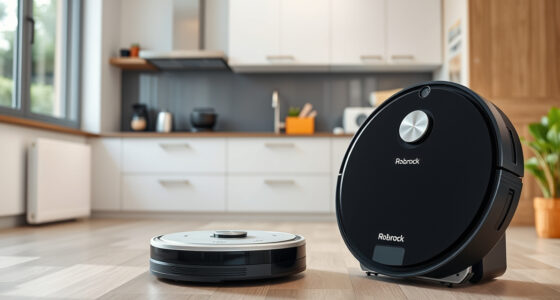
The Roborock Q7 M5+ Robot Vacuum and Mop offers powerful suction, advanced navigation, and a large self-emptying dust bag, making it a reliable choice for pet owners and busy households. Proper maintenance and troubleshooting can prevent it from getting stuck, ensuring consistent performance.
Pros:
- Up to 7-9 weeks of self-emptying
- Powerful 10000Pa suction
- Dual anti-tangle system
- PreciSense LiDAR navigation
Cons:
- May require regular sensor cleaning
- Navigation can be affected by reflective surfaces
- Requires app management
Best for: Pet owners and homes with complex layouts
Not ideal for: Small spaces or heavily cluttered areas
Bottom line: A high-performance robot vacuum that benefits from proper maintenance and troubleshooting.
4 Pack Washable Filter
Replacing or cleaning filters regularly helps maintain optimal suction and prevents blockages that could cause your Roborock to get stuck. This 4-pack of washable filters ensures your vacuum keeps running smoothly without frequent replacements.
Pros:
- Compatible with multiple Roborock models
- Washable and reusable
- Simple to install
- True HEPA filtration
Cons:
- Not OEM, but similar performance
- Must be cleaned regularly
- Limited to specified models
Best for: Maintaining optimal suction and air quality
Not ideal for: Using with incompatible models
Bottom line: A cost-effective way to keep your vacuum performing at its best.
Frequently Asked Questions
Why does my Roborock keep getting stuck?
Common causes include obstacles, tangled brushes, dirty sensors, or uneven surfaces interfering with navigation. Regular maintenance and environment adjustments can help.
How can I prevent my Roborock from getting stuck in the future?
Clear clutter, check sensors regularly, update firmware, and avoid high-pile rugs or reflective surfaces that confuse LiDAR navigation.
What should I do if the vacuum still gets stuck after troubleshooting?
Perform a factory reset, recalibrate the navigation system, or contact Roborock support for further assistance.
How often should I clean the sensors and brushes?
Clean sensors weekly and check brushes for tangled hair or debris during regular cleaning cycles, especially if issues persist.
Keep Your Roborock Running Smoothly
Regular maintenance, environment adjustments, and timely troubleshooting are key to preventing your Roborock vacuum from getting stuck. By following these steps, you can ensure your robot provides reliable, hands-free cleaning for your home.
Stay attentive to sensor cleanliness and clutter, and keep your firmware updated to maximize performance and longevity.
Affiliate disclosure: As an Amazon Associate we earn from qualifying purchases. Prices and availability are accurate as of the time of publishing.
Fall Picks
fall essentials
As an affiliate, we earn on qualifying purchases.