
TL;DR
Robotic vacuum cleaners handle routine floor cleaning with less hands-on effort, and mapping, obstacle sensors, and multifunction docks can make that routine easier. They still need maintenance and may struggle with cables, thick rugs, stairs, and sticky messes, so match the robot to your home and keep a regular vacuum for deeper or specialized cleaning.
A robot vacuum can cross your living room while you make breakfast, but it can also get stranded on a rug fringe before you finish your coffee. That gap between convenient routine cleaning and hands-off perfection is the key to choosing one you’ll actually use.

Get cleaning gear delivered free with Prime
- Fast, free delivery on millions of items
- Prime Video, Amazon Music and more included
- Member-only deals all year
Robotic vacuum cleaners have evolved from bump-and-turn devices into connected home appliances that can map rooms, avoid some obstacles, and mop hard floors. In this guide, you’ll learn what those features change, where the machines still struggle, and how to size up a model for your floors, pets, privacy preferences, and daily routine.
Treat a robot vacuum as a way to maintain clean floors between deeper cleans; keep another vacuum for stairs, upholstery, and focused jobs.
Choose navigation and mapping features based on your room layout and need for room controls or no-go zones.
Check brush access and cleaning results for your floor types if you have pets or thick rugs.
Consider hybrid mopping for light upkeep on hard floors, not for dried or sticky messes that need manual scrubbing.
Plan for brush, filter, sensor, bin, and mop care even if the dock empties the robot automatically.
What a robot vacuum can—and can’t—take off your hands
A robot vacuum is a small, self-driving cleaner that picks up everyday floor debris on a schedule or at your command. Its best job is maintenance between deeper cleans; it usually won’t replace a regular vacuum for stairs, upholstery, tight corners, or a whole-home deep clean.
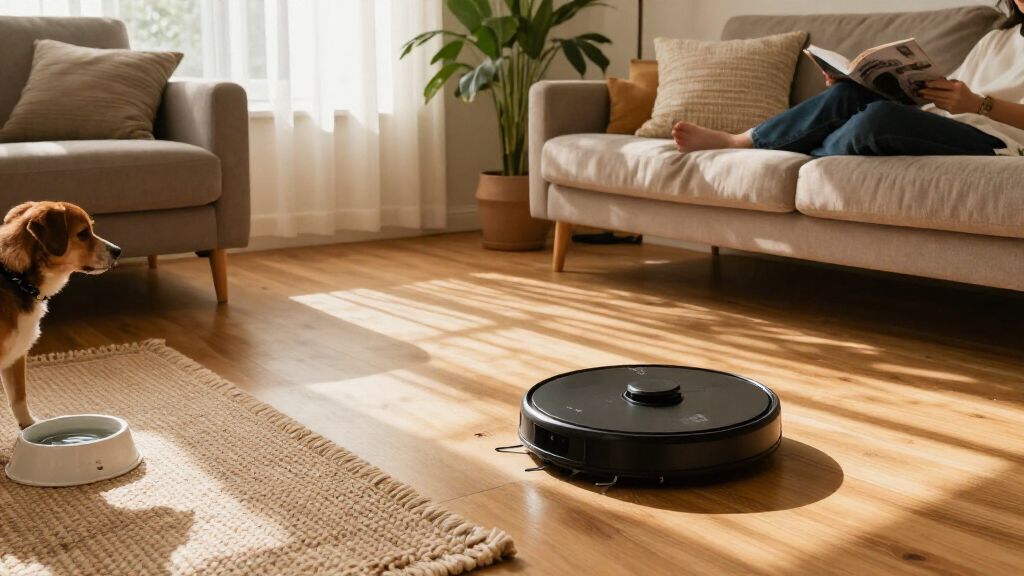
That distinction matters in a real home. If crumbs gather under your dining table every evening, a robot can run after dinner and keep them from crunching underfoot the next morning. If your dog tracks in dried mud, though, you’ll still need to deal with the stubborn spots and clean surfaces the robot cannot reach.
The category has evolved from simple bump-and-turn devices into connected home appliances with maps, app controls, and, on some models, mopping. Those features turn devices into more flexible household helpers, but they don’t make every task automatic. You still need clear floor space, a place for the dock, and time to check brushes and filters.
Think of the robot as a steady caretaker, like someone sweeping the kitchen each night—not a one-time cleaning crew. It can lower the frequency of big chores, especially on open floors, while your regular vacuum remains useful for stairs, upholstery, and messes that need focused attention.
Products Worth Considering

Dyson Purifier Hot+Cool HP2 De-NOx

Bose Surround Speakers for Home Theater, Black

eufy E25 Robot Vacuum and Mop with HydroJet Roller Mop
As an affiliate, we earn on qualifying purchases.
How mapping makes cleaning easier to control
Mapping helps a robot plan and remember rooms, so you can often send it to a specific space or mark an area as off-limits. Models may use LiDAR laser sensors, cameras, or other sensors; simpler robots may move by basic sensor-guided or more random patterns without storing a room map.
For example, you could ask a mapped robot to clean the kitchen after breakfast while leaving the playroom alone during a video call. You might also draw a no-go zone around a tangle of charging cords. The map gives you a control panel for the floor plan, much like a street map helps you choose a route.
A map does not guarantee complete coverage. A chair leg, closed door, thick rug edge, or cluttered corner can still block the route. If the robot repeatedly misses a strip beside the dining table, move the chairs or adjust the map if the app offers that option.
Navigation features can involve different sensors and data practices. Before connecting a device, check whether it has a camera or microphone, what information its app collects, where maps are stored, and whether local control is available. A robot that maps your home should fit your comfort level as well as your floor plan.
How to choose a robot that suits your floors and routine
Choose by the mess you need handled most often: floor type, pet hair, clutter, and your tolerance for maintenance matter more than a single advertised suction figure. Compare independent cleaning results where available, since brands may measure or report suction differently.
- Walk your floors. Note low-pile carpet, thick rugs, dark flooring, high thresholds, and fringe. A robot may clean a low-pile rug well but struggle to climb a tall edge or avoid tassels.
- Think about hair and debris. For a shedding pet, look for brush designs that are easy to remove and clean. A robot can collect daily hair, but wrapped strands may slow it down.
- Decide how much control you want. Mapping can offer room selection and no-go zones. If you prefer simple operation, a basic model may be enough for one open room.
- Check the dock and its footprint. A self-emptying station can reduce bin handling, but it needs space and may use replacement bags. Mop washing, drying, or water management adds more parts to maintain.
- Review ownership details. Check replacement-part costs, warranty, privacy settings, and expected software support before buying.
Picture a small apartment with hardwood, a single low-pile rug, and no pets. A compact robot with reliable mapping may be a better fit than a large, feature-packed model with a bulky dock. In a home with several shedding pets, easy brush cleaning and dependable daily scheduling may matter more than an extra app feature.
When a vacuum-and-mop robot is worth it
A hybrid robot can keep hard floors looking fresher, but many models wipe with a damp pad rather than scrubbing like a person with a mop. The right choice depends on whether you want light upkeep, how much carpet you have, and how much dock care you’re willing to take on.
| Feature | What it can help with | What to check |
|---|---|---|
| Damp mop pad | Light dust and everyday marks on hard floors | Whether the pad needs frequent rinsing |
| Carpet detection or mop lifting | Reducing the chance of a wet pad crossing a rug | How reliably the model handles your floor transitions |
| Pad washing and drying dock | Reducing hands-on pad cleaning | Water refills, waste-water handling, and parts to clean |
| Manual mopping | Dried spills and sticky spots that need pressure | Keeping a mop handy for messes the robot cannot lift |
Imagine a kitchen with a fine film of dust and a few fresh footprints. A scheduled damp wipe may help between proper cleans. If someone spills syrup and it dries near the counter, the robot may smear or miss it; you’ll likely need to clean that patch by hand.
Hybrid features make more sense in homes with broad hard-floor areas and modest day-to-day mess. If you have thick rugs throughout the house, inspect how the robot handles carpets and mop lifting before you buy. A mop function is a convenience feature, not proof that one machine can replace every floor-cleaning tool.
How to keep a robot working without adding another chore
Regular, quick maintenance keeps a robot cleaning well; an automated dock does not make the whole system maintenance-free. Hair, dust, and grit collect in brushes, filters, bins, sensors, and charging contacts, while mop models add pads and water containers.
- After a run, check the bin or dock. Empty the robot’s bin if needed, or check that a self-emptying dock transferred the debris.
- Look at the brush. Remove wrapped hair before it forms a tight, dirty ring around the roller. If you have a long-haired dog, this check may need to happen more often.
- Keep sensors and contacts clean. Follow the manual’s instructions and use a soft, suitable cloth so dust does not interfere with navigation or charging.
- Care for filters and mop parts. Clean or replace filters as directed, and wash, dry, or replace mop pads according to the manufacturer’s guidance.
In a home with two cats, a quick brush check after several runs can prevent a wad of fur from slowing the robot or leaving trails. In a low-dust apartment without pets, upkeep may be less frequent, but occasional checks still matter.
Self-emptying usually means the dock pulls debris from the robot’s bin. It does not clean every brush or sensor; many docks also need a replacement bag or periodic bin cleaning. Treat the station as a helpful assistant with its own small chores.
Which obstacles can still stop a robot mid-clean
Obstacle recognition varies by model, and no robot should be trusted to spot every small hazard. Sensors can help it detect walls, furniture, stairs, and some objects, but cables, socks, toy pieces, and pet waste can still cause trouble.
Suppose you start a run before leaving for work, and a phone cable lies across the hallway. The robot may tug it, get tangled, or stop short. In a home with a puppy, clearing small items first is especially sensible because a robot’s object detection may not recognize pet waste safely.
Make a quick pre-run sweep part of your routine: pick up loose cords, socks, and toys, then check that doors to restricted rooms are closed. This takes a minute and can prevent a stalled robot from sitting uselessly in the hallway until you return.
Stairs, thresholds, and rugs also shape where the robot can work. Cliff sensors are designed to help prevent falls, but stairs still divide a home into separate cleaning areas. Thick rugs and high transitions may stop a robot from reaching a room, so plan to carry it between floors or handle a difficult doorway yourself.
Whether a robot can replace your regular vacuum
For most homes, a robot reduces routine vacuuming rather than replacing a regular vacuum entirely. It can collect everyday dust and crumbs from accessible floors, while a conventional vacuum remains useful for stairs, upholstery, edges, and intensive cleaning.
Take a two-story home with a cat, a carpeted staircase, and hardwood downstairs. A robot can run through the open living room each day and help control loose fur, but it cannot climb the stairs or vacuum a sofa. The owner still needs another vacuum for those areas.
Pet hair shows why results depend on more than suction. Brush design, airflow, floor type, and maintenance all affect what the robot picks up. Hair that wraps around a roller can cut into performance, so an easy-to-clean brush may be more useful than a headline number on a product page.
A robot can still change how often you reach for the larger machine. If it keeps crumbs from gathering under the table, you may only need a deeper clean every so often. That is a practical reduction in chores, even when the old vacuum stays in the closet.
What to check before you connect the robot to your home
Check the robot’s sensors, app permissions, map storage, and software support before connecting it to your account or network. Privacy depends on the model: some devices use cameras or other sensors, and app features may involve an account or cloud service.
For example, if you want room-by-room app controls but prefer not to share extra data, look for clear settings about map storage and local control. Check whether the robot has a camera or microphone, what information the manufacturer says it collects, and how long the company expects to provide software updates.
Also think about reliability after purchase. A smart map is most useful when the app continues to work and replacement parts remain available. Product features and availability change quickly, so confirm current model details in the manufacturer’s documentation and compare cleaning results from independent testing before you decide.
Connected features can be convenient without being the deciding factor. If the app makes it easy to schedule the kitchen after dinner, that may suit your routine. If setup feels intrusive or the map controls add little value, a simpler robot could be the more comfortable choice.
Frequently Asked Questions
Are robot vacuums worth it?
They can be worth it if you want frequent maintenance cleaning and have accessible floors or pets. The value depends on how much setup and upkeep you’ll tolerate; a robot won’t handle every room or mess.
Do robot vacuums work on carpets and rugs?
Many clean low-pile carpet and rugs, but results vary by model and floor. Thick rugs, fringe, and sharp floor transitions can be difficult, so look for tests on surfaces like yours.
Can a robot vacuum replace a regular vacuum?
Usually not entirely. It can reduce routine floor cleaning, while a regular vacuum remains useful for stairs, upholstery, edges, and deeper cleans.
Are robot vacuums good for pet hair?
They can collect everyday hair, especially on accessible floors, but hair may wrap around brushes or clog parts. Check how easy the brush is to clean and how the model performs on your specific floor type.
Can a robot vacuum avoid cables and pet waste?
Some models recognize and steer around certain obstacles, but no system should be assumed to detect every cable, toy, or hazard. Pick up small items before a run, especially in homes with pets.
Do all robot vacuums map your home?
No. Some use LiDAR, cameras, or other sensors to create maps for room selection and no-go zones. Simpler models may use basic sensor-guided movement without saving a persistent map.
Do vacuum-and-mop robots replace a mop?
They can provide light maintenance on hard floors, but many use a damp pad rather than strong manual scrubbing. Dried spills and sticky messes may still need a mop and a bit of elbow grease.
How often does a robot vacuum need maintenance?
It depends on how often it runs, your flooring, and whether you have pets. Check the bin, brush, filter, sensors, charging contacts, and—on hybrid models—the mop parts according to the manufacturer’s guidance.
Are robot vacuums safe for privacy?
Privacy depends on the sensors, app, and data practices of the model. Check whether it has cameras or microphones, what data it collects, where maps are stored, and whether local control is available.
Conclusion
Pick the robot that handles the mess you see most often: crumbs under the table, fur across hardwood, or dust on accessible rugs. A map, mop, or self-emptying dock can make that routine smoother, but each feature earns its place only if it works in your home.
Clear the floor, keep the brushes clean, and let the robot do the steady daily work. Your regular vacuum can take the stairs—while the little machine hums beneath the kitchen table.