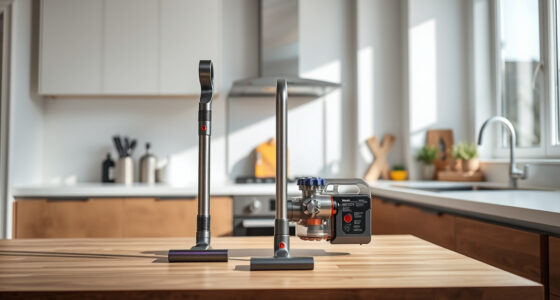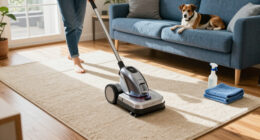
If your Dyson V15 Detect™ Cordless Vacuum isn’t suctioning properly, it can hinder your cleaning efforts. Common causes include clogged filters, blockages, or debris buildup. This guide provides practical, safe steps to diagnose and fix the issue, restoring your vacuum’s optimal performance.

Get cleaning gear delivered free — and shop member deals
- Fast, free delivery on millions of items
- Access to Prime Big Deal Days deals on October 6–7
- Prime Video, Amazon Music and more included
Follow these instructions carefully to troubleshoot common problems and ensure your Dyson works efficiently again.
Key Takeaways
| Check for blockages | Blockages in wand or cleaner head can cause suction loss. |
| Inspect filters | Dirty or clogged filters reduce suction power. |
| Examine the bin | Full or improperly seated bin affects airflow. |
| Verify the cleaner head | Debris or hair tangled in brush bars can block suction. |
| Ensure proper assembly | Incorrectly assembled parts may cause leaks or blockages. |
Step 1: Power Off and Unplug
Before starting any troubleshooting, turn off your Dyson V15 Detect™ and remove the battery if possible. This ensures your safety while inspecting internal components.
Step 2: Check for Blockages
- Detach the wand and cleaner head from the main body.
- Inspect the wand, cleaner head, and hose for visible debris or obstructions.
- Remove any debris or tangled hair carefully using your fingers or a small tool.
- Reconnect the parts securely.
Step 3: Clean or Replace Filters
Dirty filters hinder airflow, reducing suction. Remove the pre-filter and main filter from the vacuum.
- Rinse the filters under cold water without soap.
- Gently squeeze out excess water and let them air dry completely (24 hours recommended).
- Reinstall once dry to restore suction.
Step 4: Empty and Check the Bin
Ensure the bin isn’t full. Remove it and empty any dust or debris. Confirm the bin is seated correctly, and the lid is closed tightly.
Step 5: Examine the Cleaner Head
Check the Digital Motorbar or Fluffy Optic cleaner head for tangled hair or debris. Clear any obstructions from the brush bar and ensure it spins freely.
The Products in This Guide

Dyson V15 Detect™ Origin Cordless Vacuum
- ✔ Battery Life: Up to 60 mins
- ✔ Weight: Approximately 6.8 lbs
- ✔ Filter: Washable HEPA

LANMU Crevice Tool Vacuum Attachments Compatible
- ✔ Washable: Yes
- ✔ Replace frequency: Every 2-3 months
- ✔ Material: Silicone
Dyson V15 Detect™ Origin Cordless Vacuum
The Dyson V15 Detect™ Origin offers powerful suction and intelligent detection, revealing invisible dust and adapting power to floor types. Its LCD screen provides real-time data on particles picked up and maintenance alerts, making it a top choice for deep cleaning.
Pros:
- Powerful suction with 100% more power
- Intelligent debris detection
- Long 60-minute runtime
- Multiple cleaning heads for various surfaces
Cons:
- Higher price point
- Requires periodic filter cleaning
- Can be heavy for extended use
Best for: Whole-home deep cleaning, pet hair, hard floors, and carpets
Not ideal for: For users seeking lightweight, budget-friendly options
Bottom line: Powerful, smart, and versatile for comprehensive home cleaning.
LANMU Crevice Tool Vacuum Attachments Compatible
Replacing filters regularly ensures optimal suction and air quality. This 3-pack pre-filter set is compatible with multiple Dyson models and is easy to rinse and reuse, maintaining peak performance.
Pros:
- Easy to install and clean
- Replaces Part 965661-01
- Reusable after washing
- Enhances suction efficiency
Cons:
- Requires periodic replacement
- Filters need to be dried thoroughly before reuse
- Only compatible with certain Dyson models
Best for: Maintaining suction and air quality in Dyson V8, V7, V6 series
Not ideal for: For models outside compatibility list
Bottom line: A simple way to keep your Dyson vacuum performing at its best.
Frequently Asked Questions
Why does my Dyson vacuum have no suction?
Common causes include clogged filters, blockages in hoses or wand, full dust bins, or tangled debris in the cleaner head.
How often should I clean or replace the filters?
Filters should be rinsed and dried thoroughly every 1-3 months, depending on usage, to maintain optimal suction.
Can I fix suction loss myself?
Yes, most issues like blockages and dirty filters can be fixed easily by following proper cleaning and maintenance steps.
What should I do if cleaning doesn’t restore suction?
If the problem persists, consider checking internal parts for damage or wear, or contact Dyson customer support for assistance.
Keep Your Dyson Performing at Peak
Regular maintenance, including cleaning filters and checking for blockages, can prevent suction issues and prolong your vacuum’s lifespan. Follow these troubleshooting steps to restore your Dyson V15 Detect™ to its full cleaning power and enjoy effortless, thorough home cleaning.
Affiliate disclosure: As an Amazon Associate we earn from qualifying purchases. Prices and availability are accurate as of the time of publishing.
Fall Picks
fall essentials
As an affiliate, we earn on qualifying purchases.