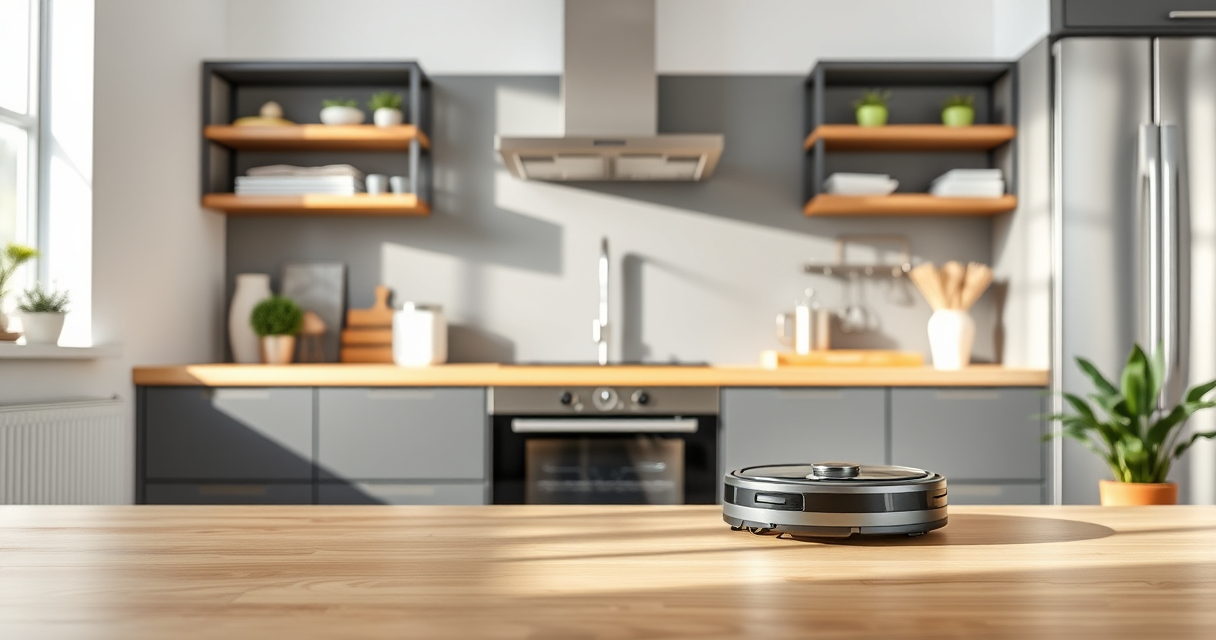
Maintaining your Roborock robot vacuum is essential to keep it performing at its best. Regular upkeep not only extends the lifespan of your device but also ensures it cleans effectively, saving you time and effort. This guide provides clear, practical steps for routine maintenance and troubleshooting specific issues, focusing on the Roborock Q7 M5+.
Listen free for 30 days with Audible
Thousands of audiobooks and originals — cancel anytime.
Start your free trialAs an affiliate, we earn on qualifying purchases.
Whether you’re new to robotic vacuums or a seasoned user, following these tips will help you keep your device in top shape, from cleaning filters and brushes to resolving common problems like poor suction or navigation errors.
Key Takeaways
| Routine Cleaning | Regularly cleaning brushes and filters maintains suction power. |
| Filter Care | Washing washable filters prolongs their effectiveness and reduces replacement costs. |
| Brush Maintenance | Removing hair tangles from brushes prevents clogging and improves cleaning. |
| Navigation Troubleshooting | Resetting the LiDAR or cleaning sensors can fix navigation issues. |
| Self-Emptying Care | Empty the self-empty dust bag when full to optimize performance. |

roborock Q7 M5+ Robot Vacuum and Mop, Up to 7-9 Weeks Self-Empty, 10000Pa
- Long-lasting Self-Emptying: Up to 7-9 weeks with 2.7L dust bag
- Powerful Suction: 10000Pa for deep cleaning on all surfaces
- Anti-Tangle Brush System: Dual design resists pet hair wrap
As an affiliate, we earn on qualifying purchases.
Preparing for Routine Maintenance
- Power off your Roborock Q7 M5+ and unplug it from the charging dock to ensure safety.
- Remove the main dustbin by pressing the eject button and carefully empty its contents into a trash bin.
- Inspect the brushes, particularly the dual anti-tangle system, and remove any hair or debris wrapped around them.
- Check the side brushes and clean them with a soft brush or cloth to ensure they spin freely.
Cleaning and Replacing Filters
The Roborock Q7 M5+ features a 2.7L sealed dust bag, reducing the need for frequent emptying, but filters still require regular care.
- Remove the washable filter from the dustbin.
- Rinse the filter under cold water, gently squeezing out dirt. Avoid using soap or detergent.
- Let the filter air dry completely for at least 24 hours before reinstalling.
- For optimal performance, replace filters every 2-3 months or as needed. Consider using a 4-pack washable filter for convenience.
Maintaining the Main Brush and Side Brushes
Hair and pet fur can tangle in the main brush and side brushes, impacting cleaning efficiency.
- Remove the main brush from its housing following the instructions in your user manual.
- Use scissors or a brush to carefully cut away hair or threads wrapped around the brush.
- Check the side brushes for debris and remove any obstructions.
- Reinstall the brushes securely, ensuring they spin freely.
Troubleshooting Common Issues
If your Roborock Q7 M5+ shows signs of poor performance, try these troubleshooting steps:
- Navigation errors: Clean sensors and LiDAR using a soft, dry cloth. Restart the device to recalibrate.
- Weak suction: Check and clean the main brush and filters. Replace filters if they appear dirty or clogged.
- Charging problems: Ensure the charging dock is clean and the robot is properly aligned. Reset the device if necessary.
Maintaining the Self-Empty Dock
The RockDock Plus allows up to 7-9 weeks of hands-free cleaning. To keep it functioning smoothly:
- Regularly check the dust bag and empty it when full.
- Wipe the dock and surrounding area to prevent dust buildup.
- If the self-emptying feature stops working, ensure the dust bag is properly installed and no obstructions block the mechanism.
The Products in This Guide

roborock Q7 M5+ Robot Vacuum and Mop
- ✔ Model: Q7 M5+
- ✔ Power: 10000Pa
- ✔ Battery Life: 7-9 weeks

4 Pack Washable Filter
- ✔ Pack: 4 filters
- ✔ Compatibility: Q7 series
- ✔ Material: HEPA
roborock Q7 M5+ Robot Vacuum and Mop
The Roborock Q7 M5+ offers impressive suction power and a user-friendly self-emptying system, making it a top choice for busy households. Proper maintenance is key to keeping it performing at its best.
Pros:
- High suction power (10000Pa)
- Long-lasting self-emptying system
- Dual anti-tangle brushes
- App control for easy scheduling
Cons:
- Requires regular filter cleaning
- Can be complex to disassemble for deep cleaning
- Price may be higher than basic models
Best for: Pet owners and busy households needing reliable, long-term cleaning performance
Not ideal for: Users seeking a budget-friendly, simple robot vacuum without advanced features
Bottom line: A highly capable robot vacuum designed for long-term, hands-free cleaning with minimal maintenance.
4 Pack Washable Filter
This 4-pack of washable filters is an economical way to ensure your Roborock Q7 M5+ maintains optimal suction and air quality. Easy to wash and replace, it’s a practical upgrade for regular maintenance.
Pros:
- Economical 4-pack
- Washable and reusable
- Maintains high filtration efficiency
- Easy to install
Cons:
- Filters need regular washing
- Not OEM, but compatible
- Replacement every 2-3 months recommended
Best for: Users looking to extend filter life and save on replacements
Not ideal for: Those preferring OEM filters for guaranteed fit
Bottom line: A budget-friendly, washable HEPA filter pack that keeps your vacuum running smoothly.
Frequently Asked Questions
How often should I clean the brushes on my Roborock Q7 M5+?
It’s recommended to clean the brushes every 1-2 weeks, especially if you have pets, to prevent hair and debris buildup that can reduce cleaning efficiency.
Can I wash the filters, and how do I dry them?
Yes, the filters are washable. Rinse them under cold water, gently squeeze out excess water, and let them air dry completely for at least 24 hours before reinstalling.
What should I do if my vacuum’s suction power diminishes?
Check and clean the main brush, side brushes, and filters. Replacing the filters regularly also helps restore suction. If issues persist, restart or reset the device.
How do I troubleshoot navigation errors?
Clean the sensors and LiDAR with a soft, dry cloth. Ensure nothing is obstructing the sensors, and restart the robot to recalibrate its navigation system.
When should I replace the dust bag in the self-empty dock?
Replace the dust bag when it is full or if you notice decreased performance or error messages. Regular checks prevent overflow and maintain optimal operation.
Keep Your Roborock Running Smoothly for Long-Term Cleaning
Regular maintenance is crucial to keep your Roborock Q7 M5+ performing at its best. By following these simple cleaning and troubleshooting steps, you can extend the lifespan of your vacuum, ensure it cleans thoroughly, and enjoy a cleaner home with less hassle. Remember to check filters, brushes, and sensors periodically, and don’t hesitate to troubleshoot issues promptly for optimal results.
Affiliate disclosure: As an Amazon Associate we earn from qualifying purchases. Prices and availability are accurate as of the time of publishing.
Back to school Picks
back to school
As an affiliate, we earn on qualifying purchases.